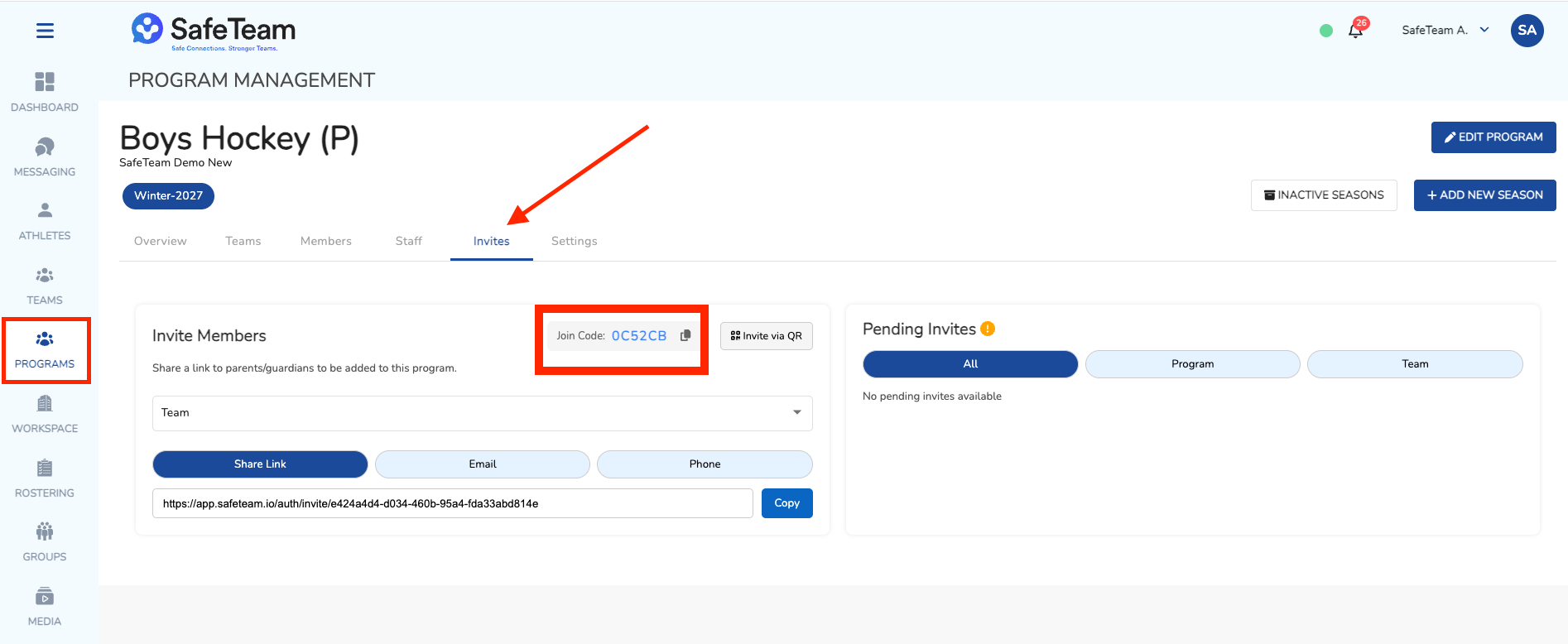
Where do I find the Program join code?
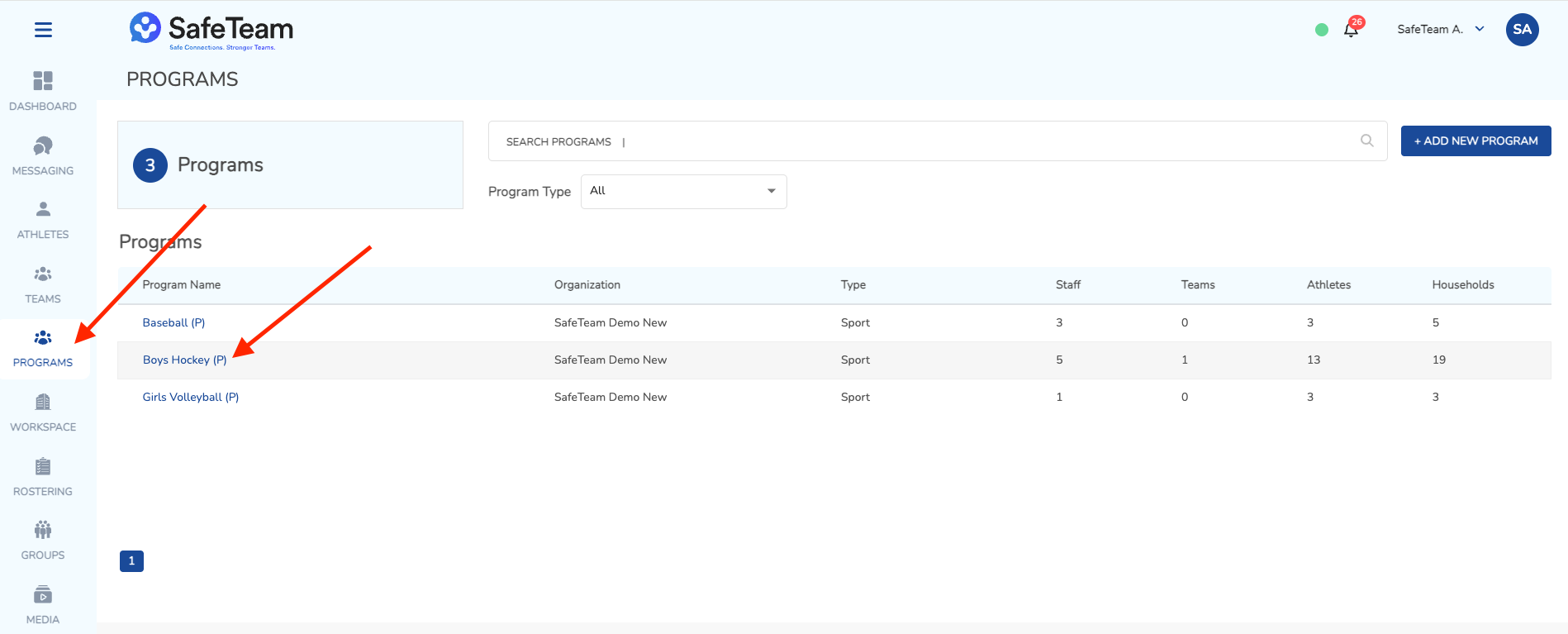
You can find the Program join code in the Invites menu in the Program Management page. Click on Programs on the left menu. Then click on a program. Then click on Invites. If a join code has not been generated it will say Generate. Click the generate button and that is what you will share will athletes/households.
The join code is used on the mobile app log in screen.
There is a different join code for each "active" season.