
How do I remove an athlete?
You can do this in a couple of places. Click the Athletes tab on the left and search for the athlete, then click the x on the actions column on the right. You can also do this while inside a program or team.
Removing an athlete
- From the Athletes tab:
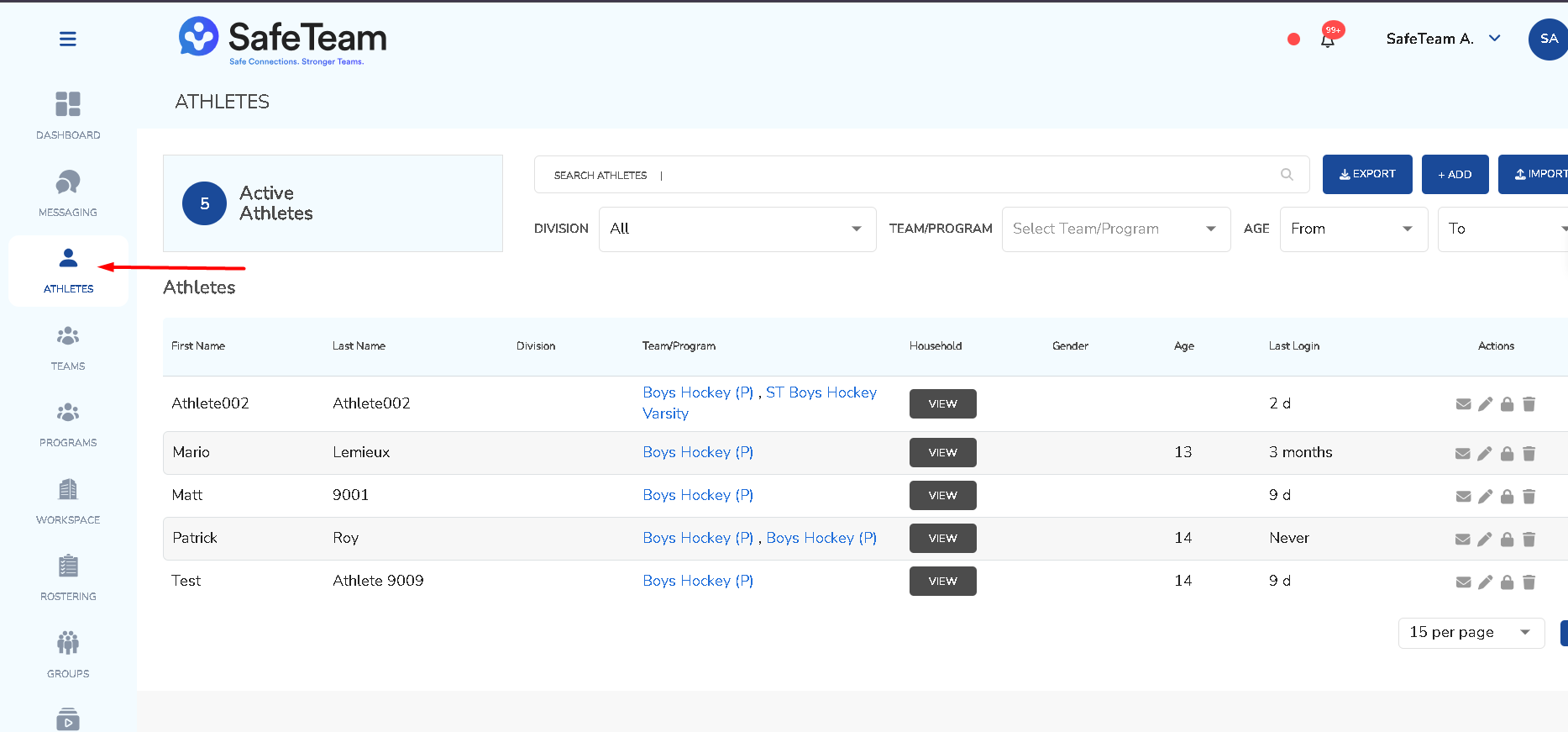
- Click the Athletes tab on the left.
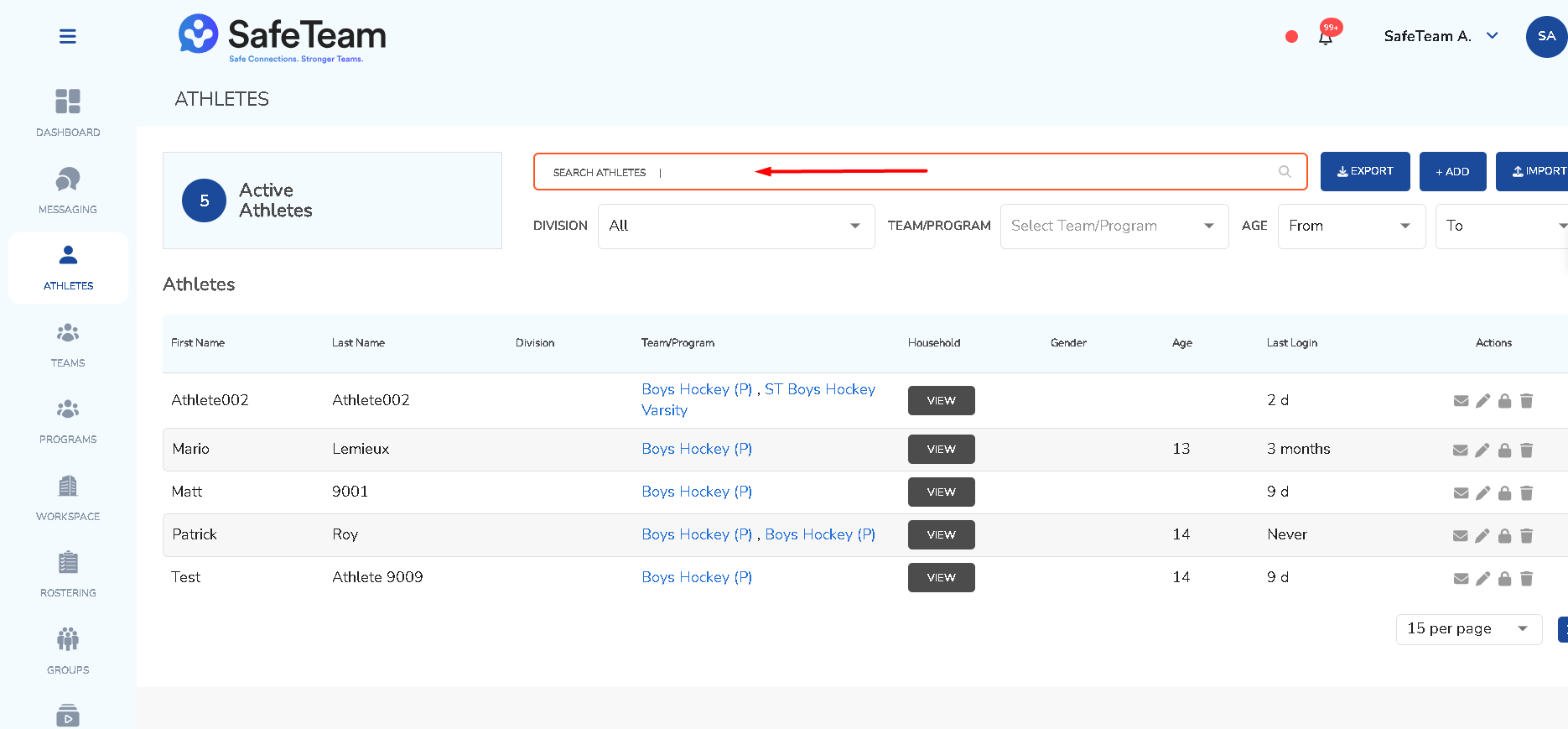
- Search for the athlete
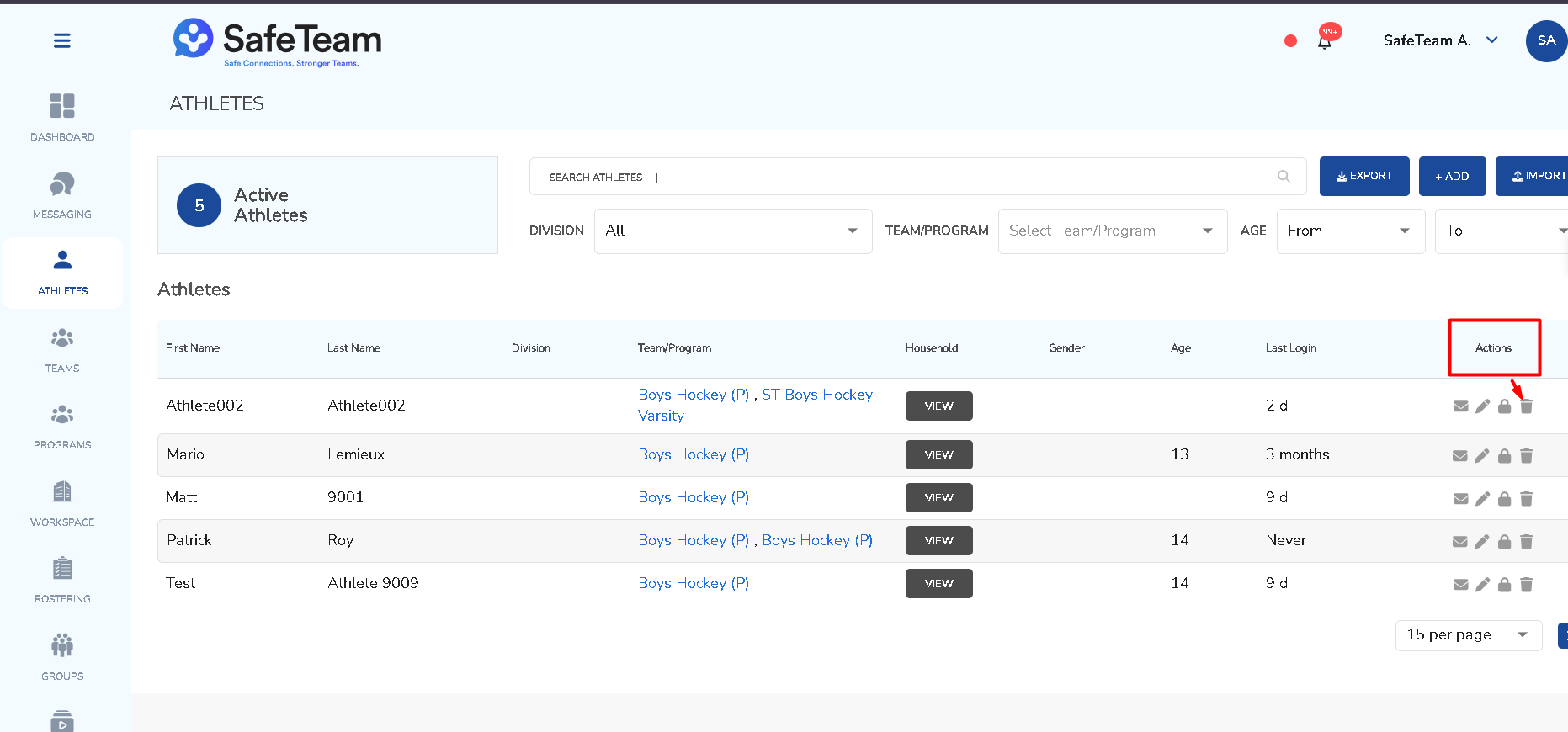
- Click the x in the actions column on the right.
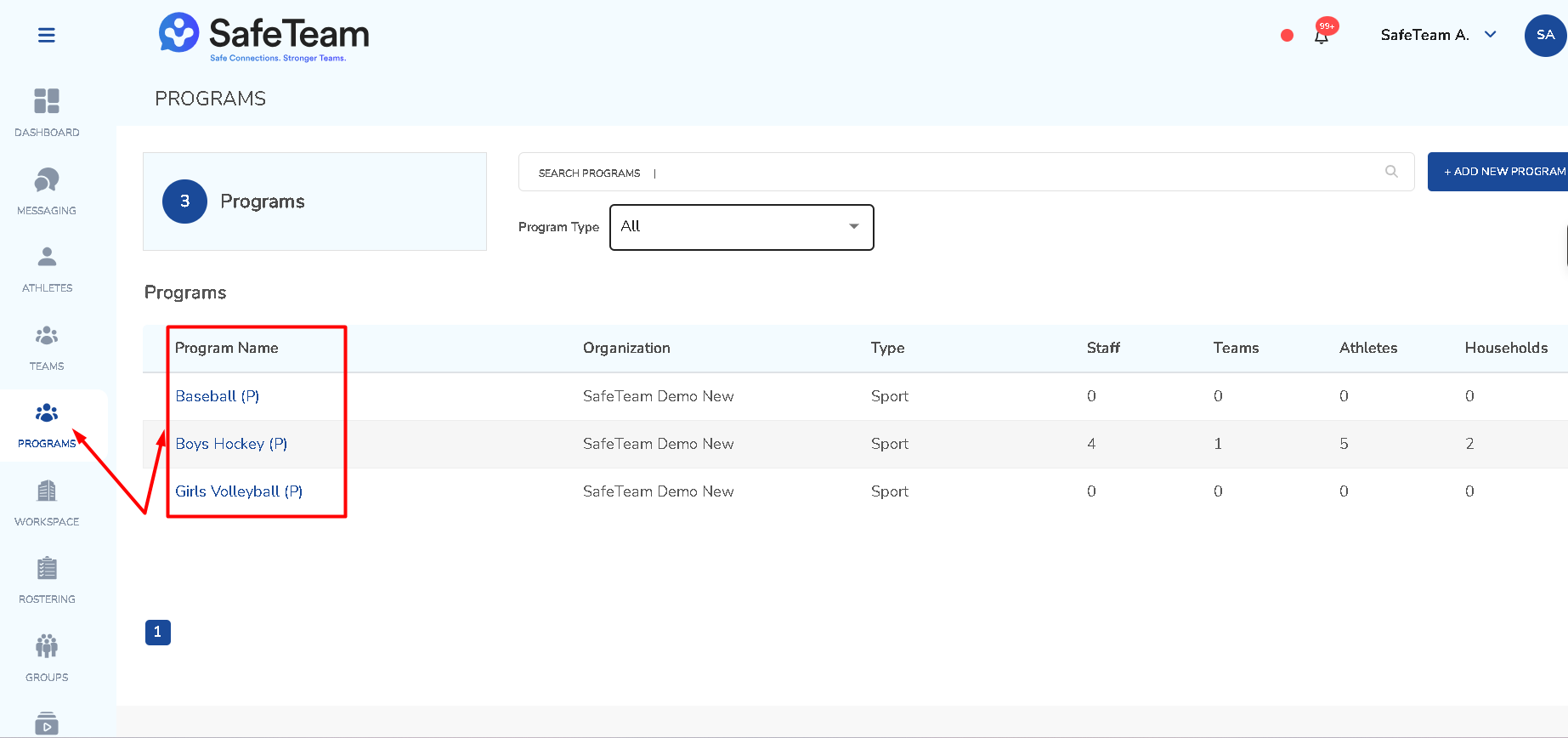
- From a program or team:
- Open the specific program or team.
- Locate the athlete.
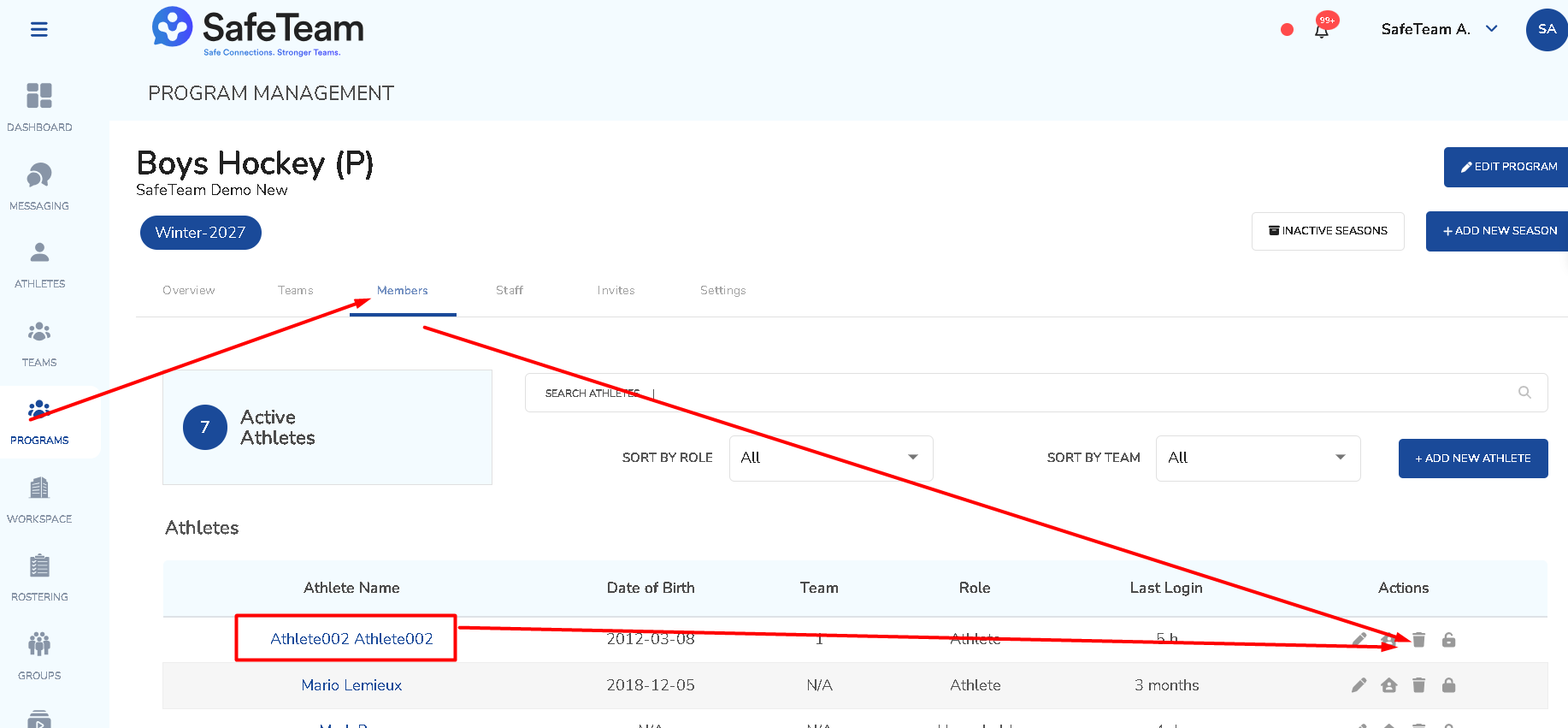
- Click the x in the actions column on the right.
Need help?
Visit info.safeteam.io for FAQs and walkthroughs, email support@safeteam.io, or text 763-777-7279.