
How do I roster and invite at the same time?
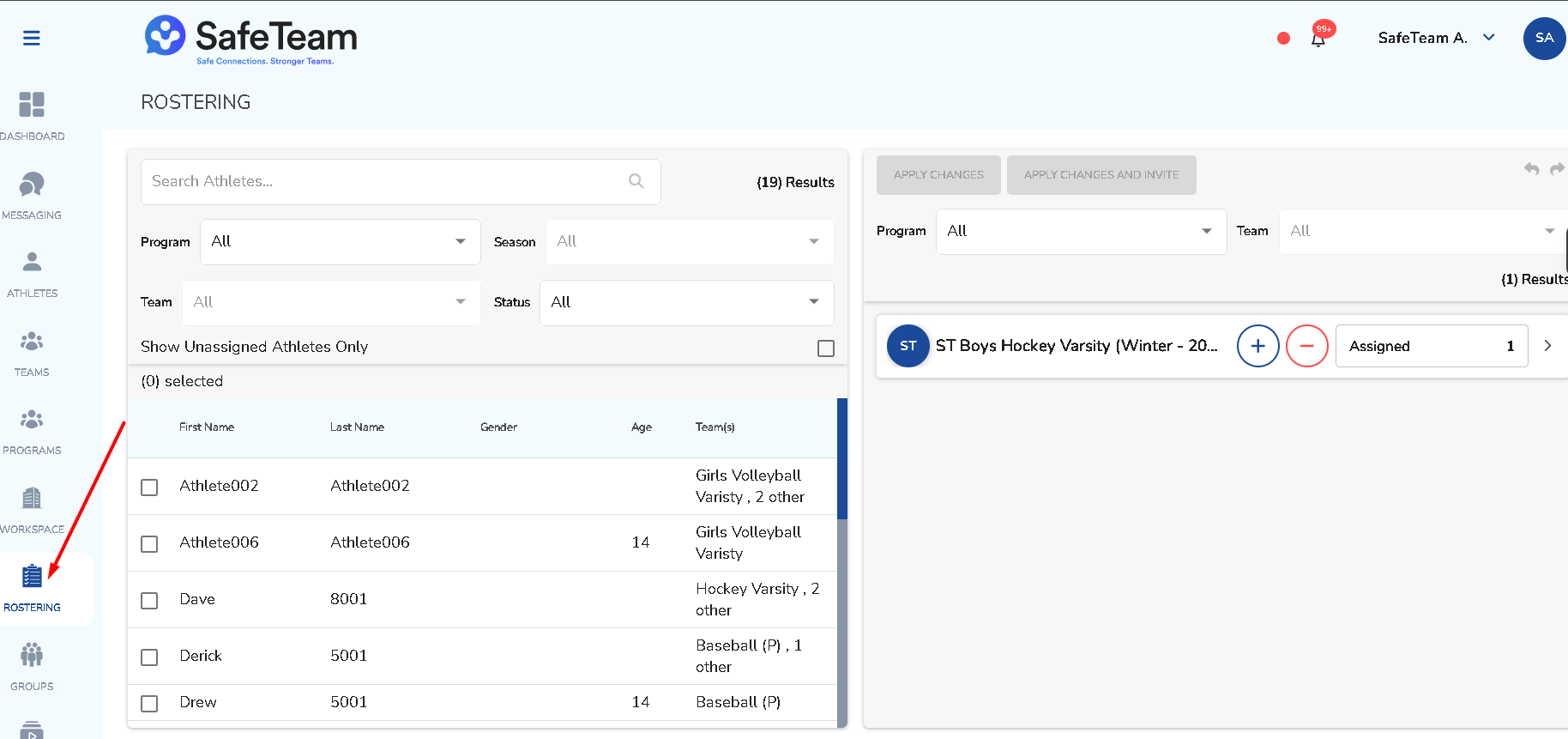
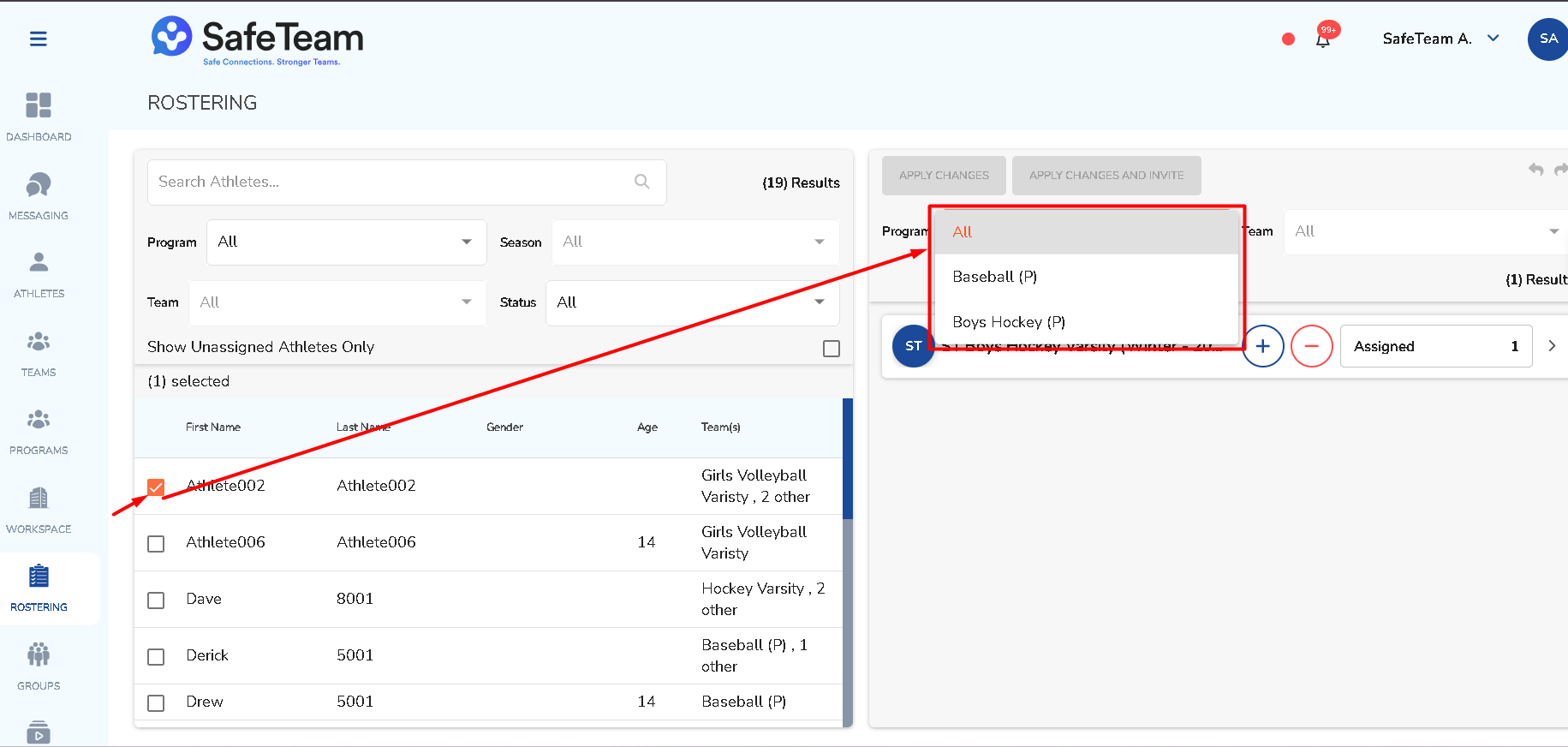
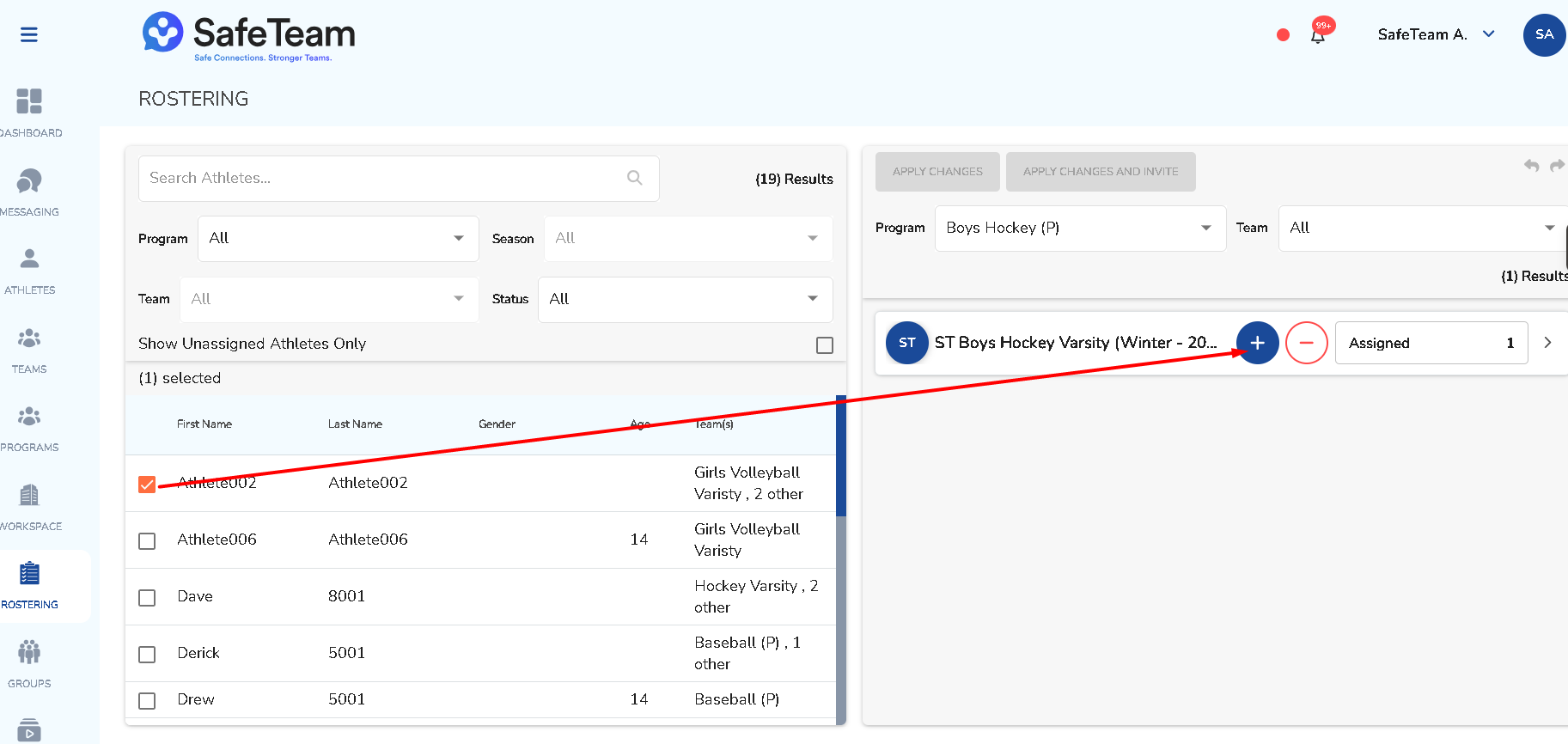
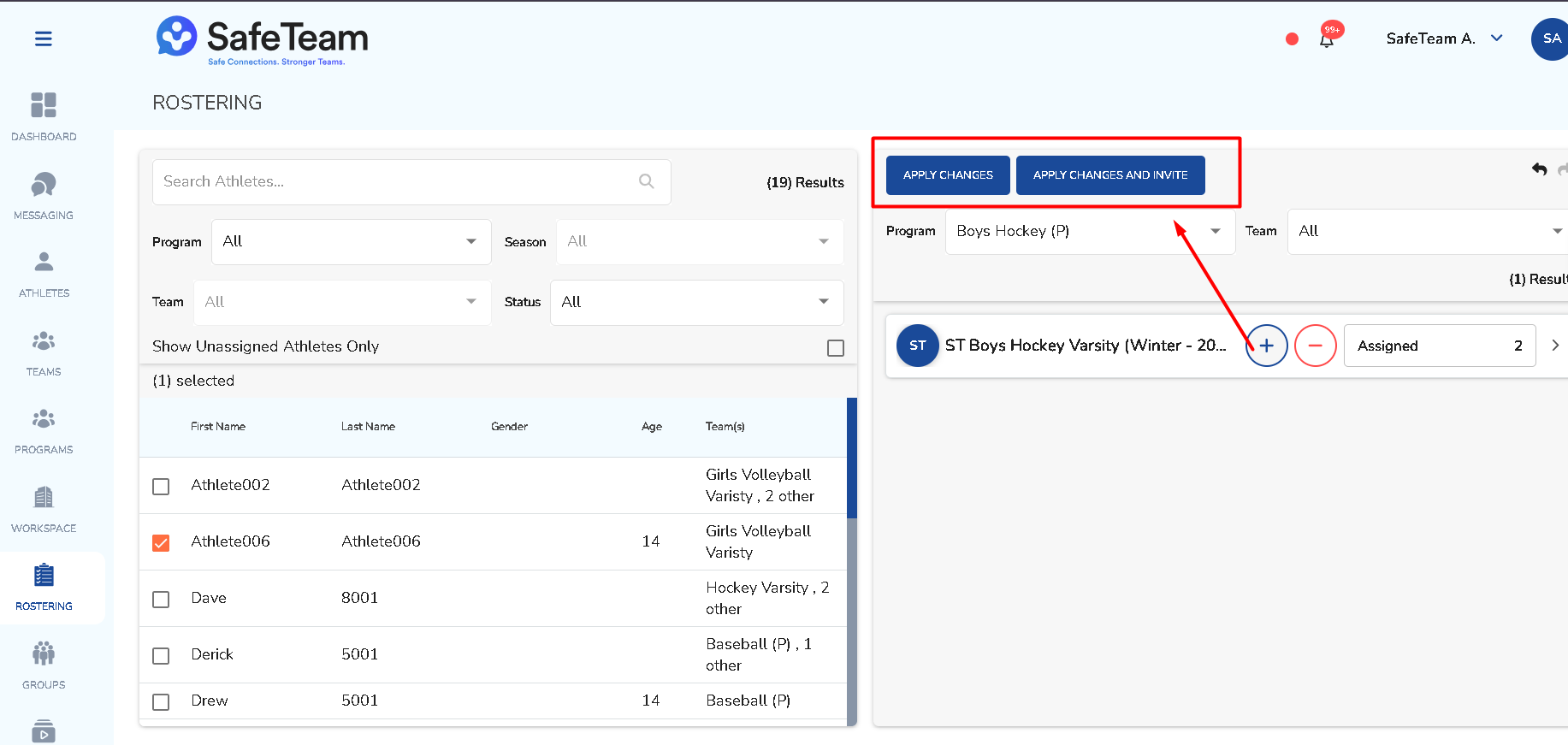
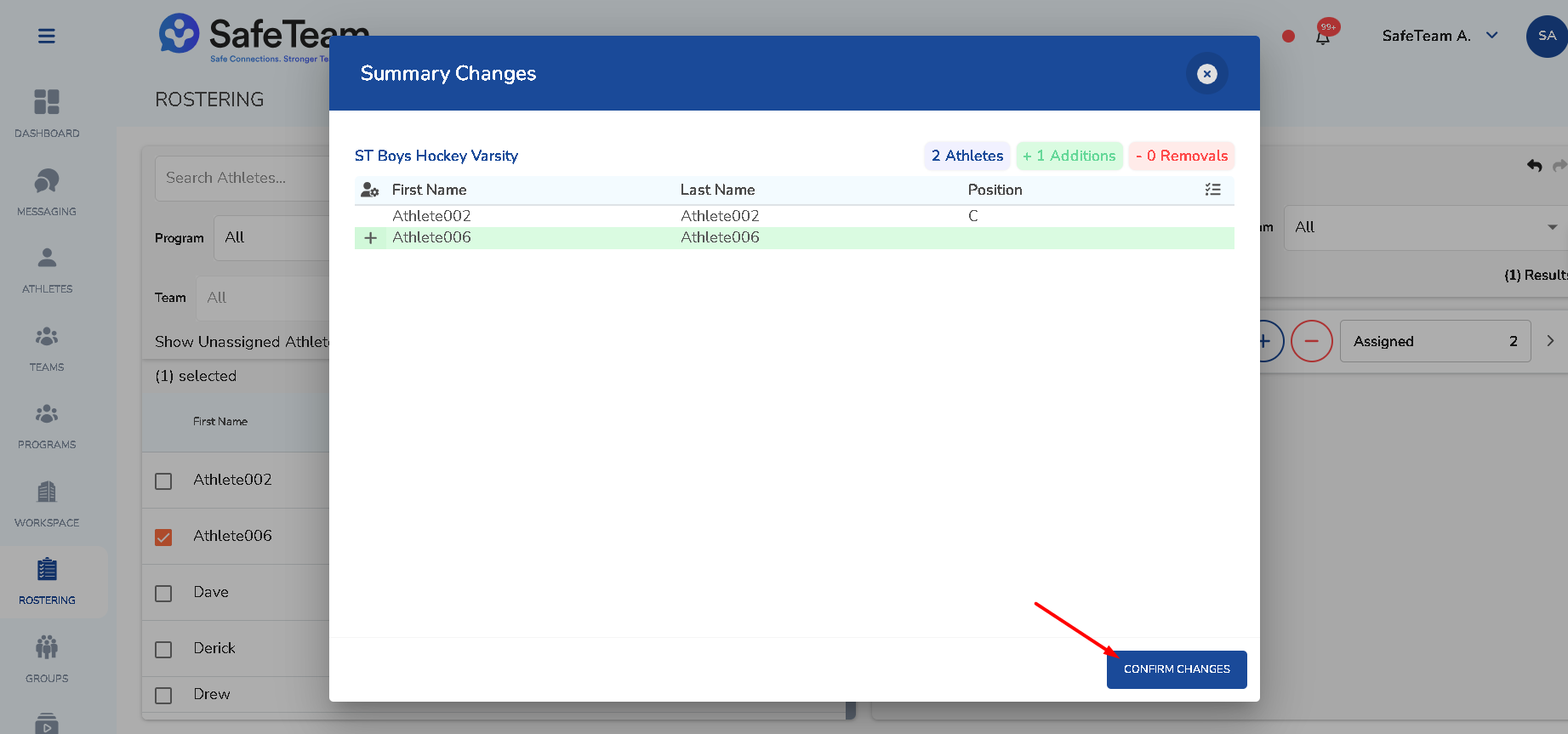
Use Apply Changes and Invite. This updates the roster and sends an invitation when families should receive one.
Rostering and inviting at the same time
- Use the Apply Changes and Invite option.
- This will update the roster and send an invitation to families in one step.
Need help?
Visit info.safeteam.io for FAQs and walkthroughs, email support@safeteam.io, or text 763-777-7279.