
Where do I manage calendar subscriptions?
Open the profile menu, choose My Account, then go to Profile Settings and select Manage Calendar Subscriptions.
Managing calendar subscriptions
- Open the profile menu.
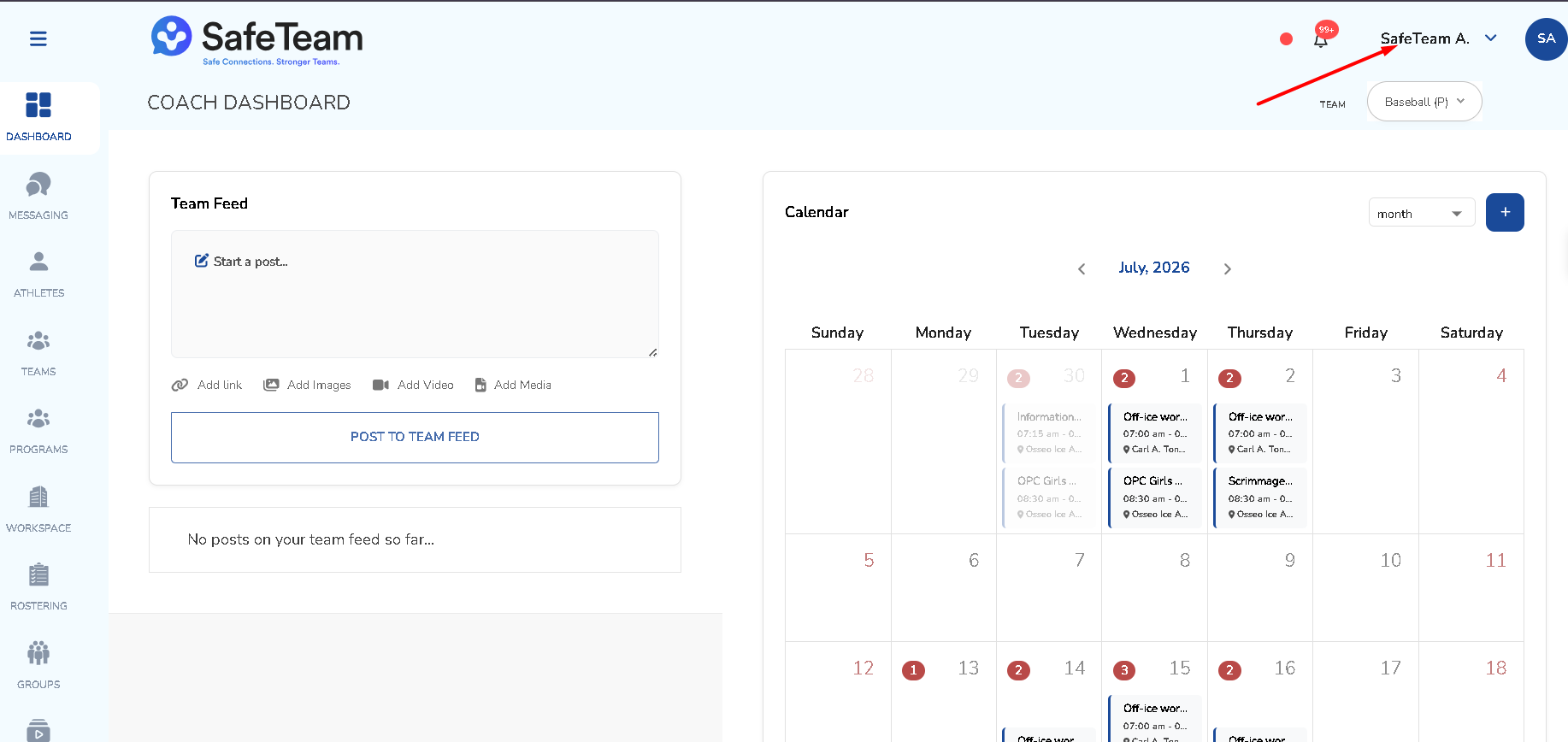
- Choose My Account.
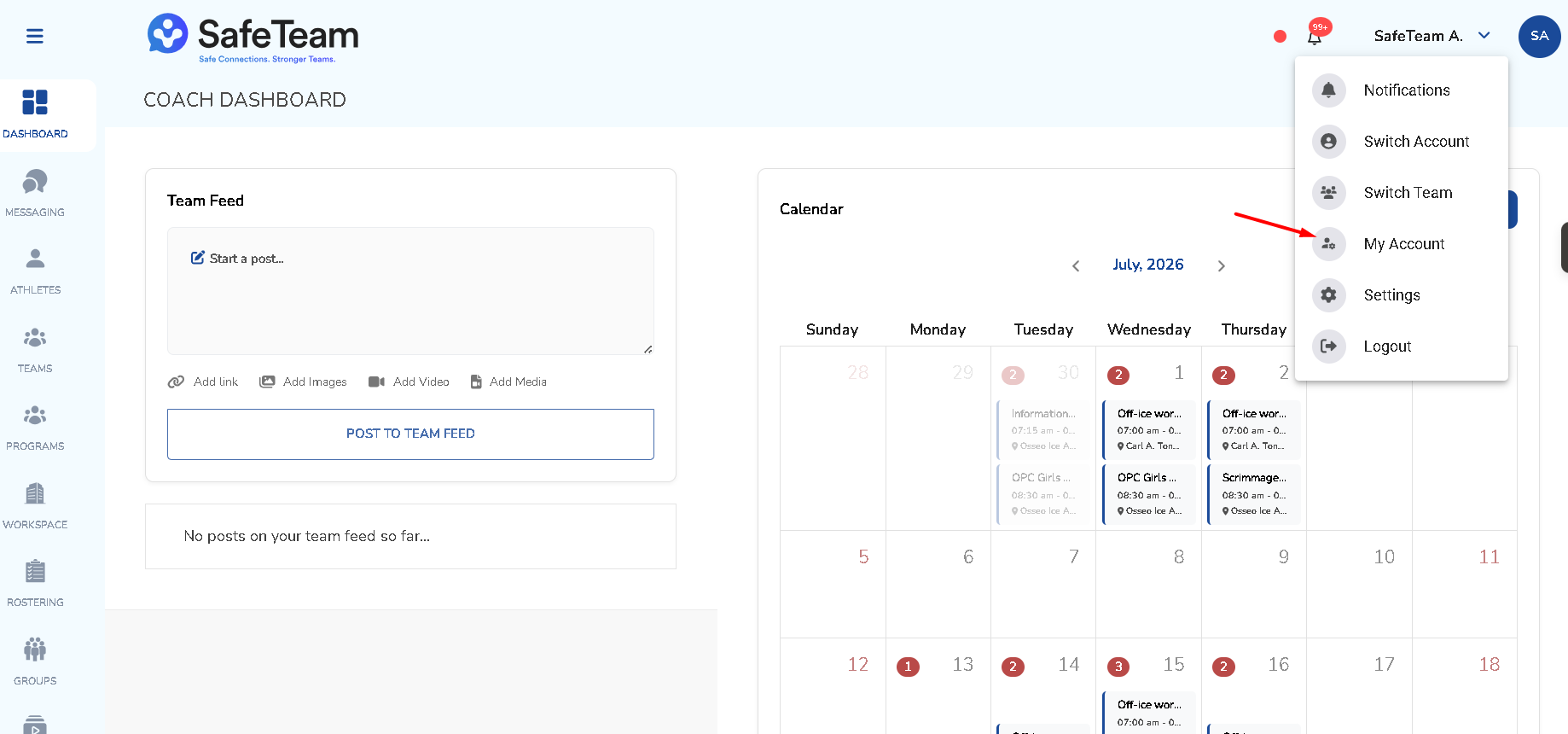
- Go to Profile Settings.
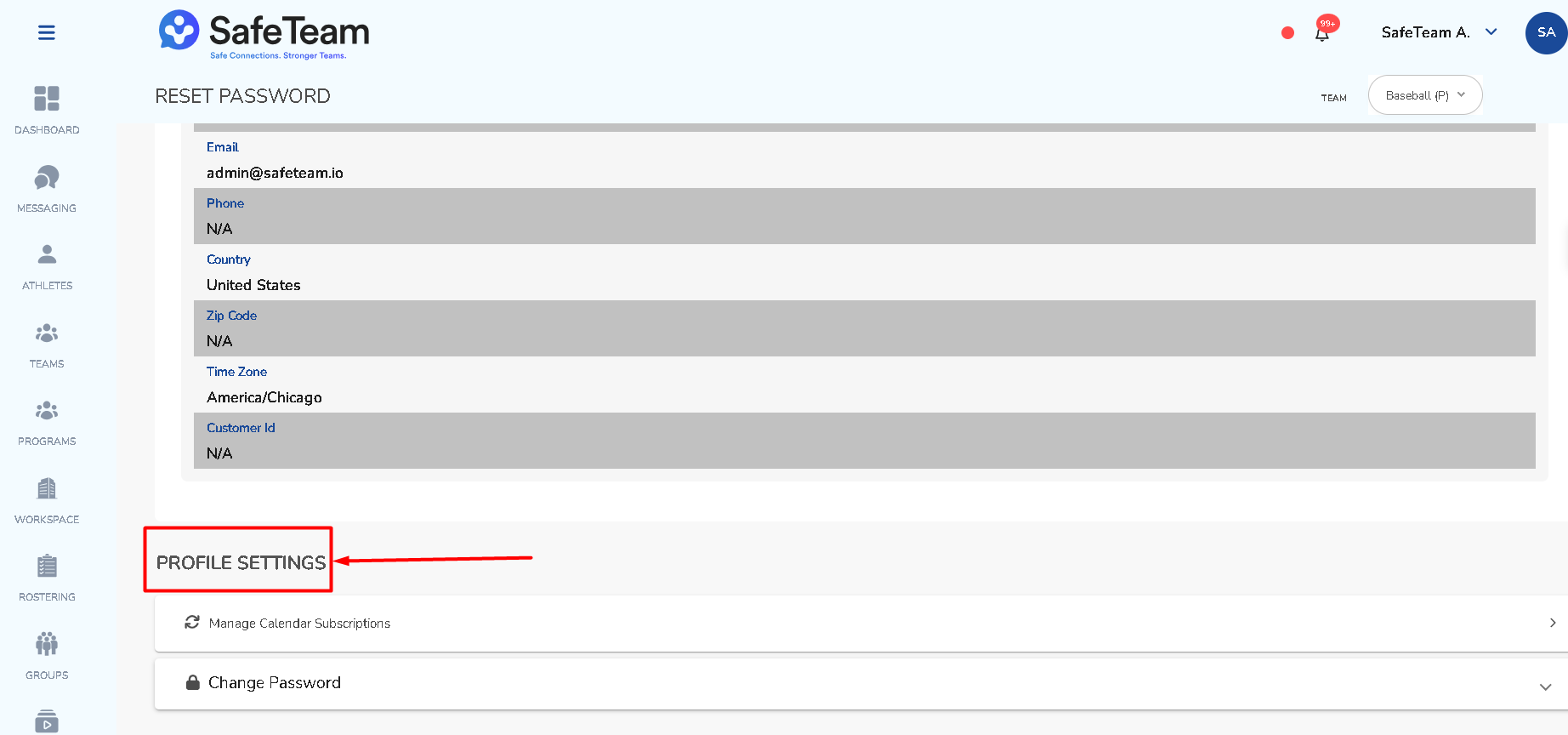
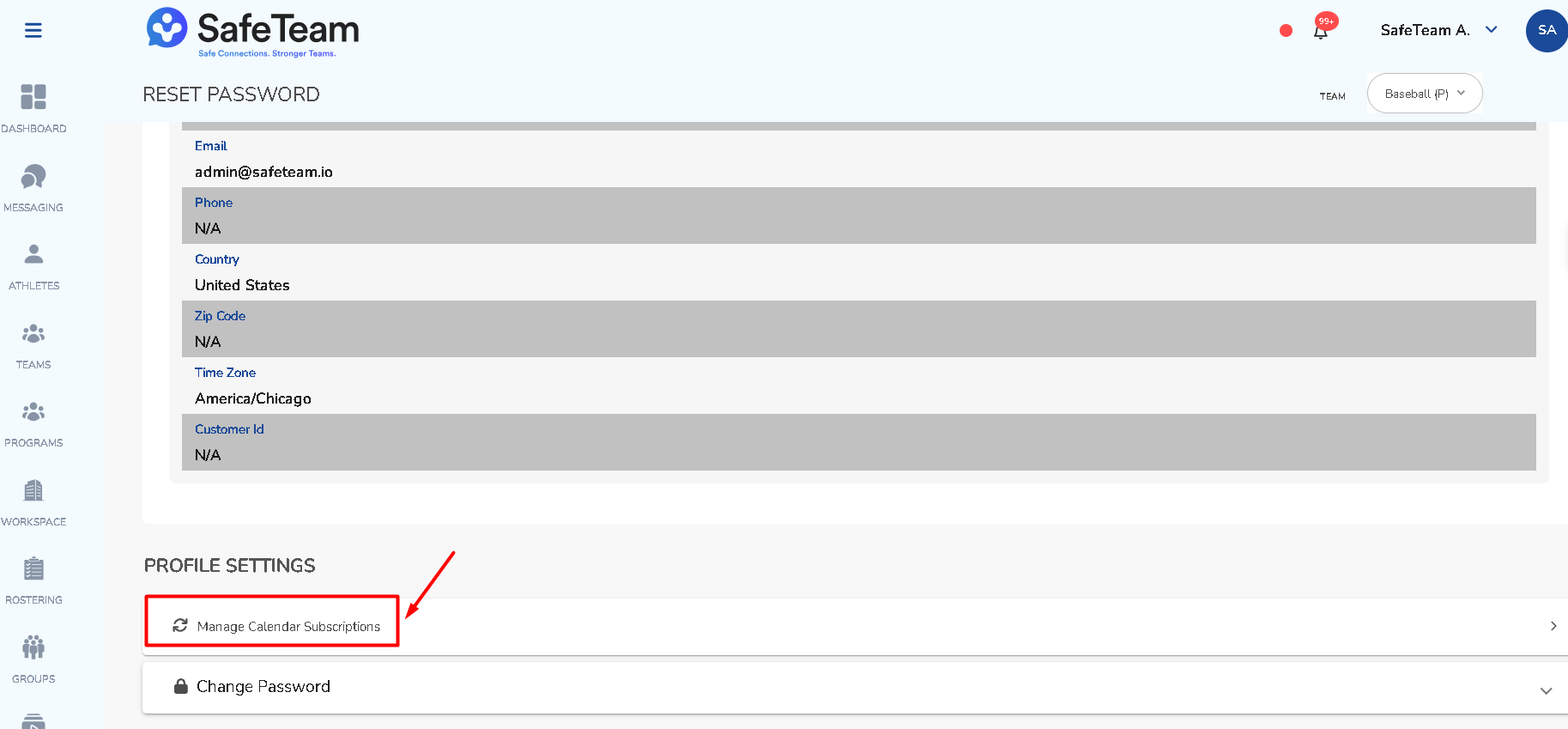
- Select Manage Calendar Subscriptions.
Can I add an external calendar subscription?
Yes. Add a new calendar, enter the calendar name and subscription URL, optionally notify the team, and save.
Adding an external calendar subscription
- Click Add New Calendar.
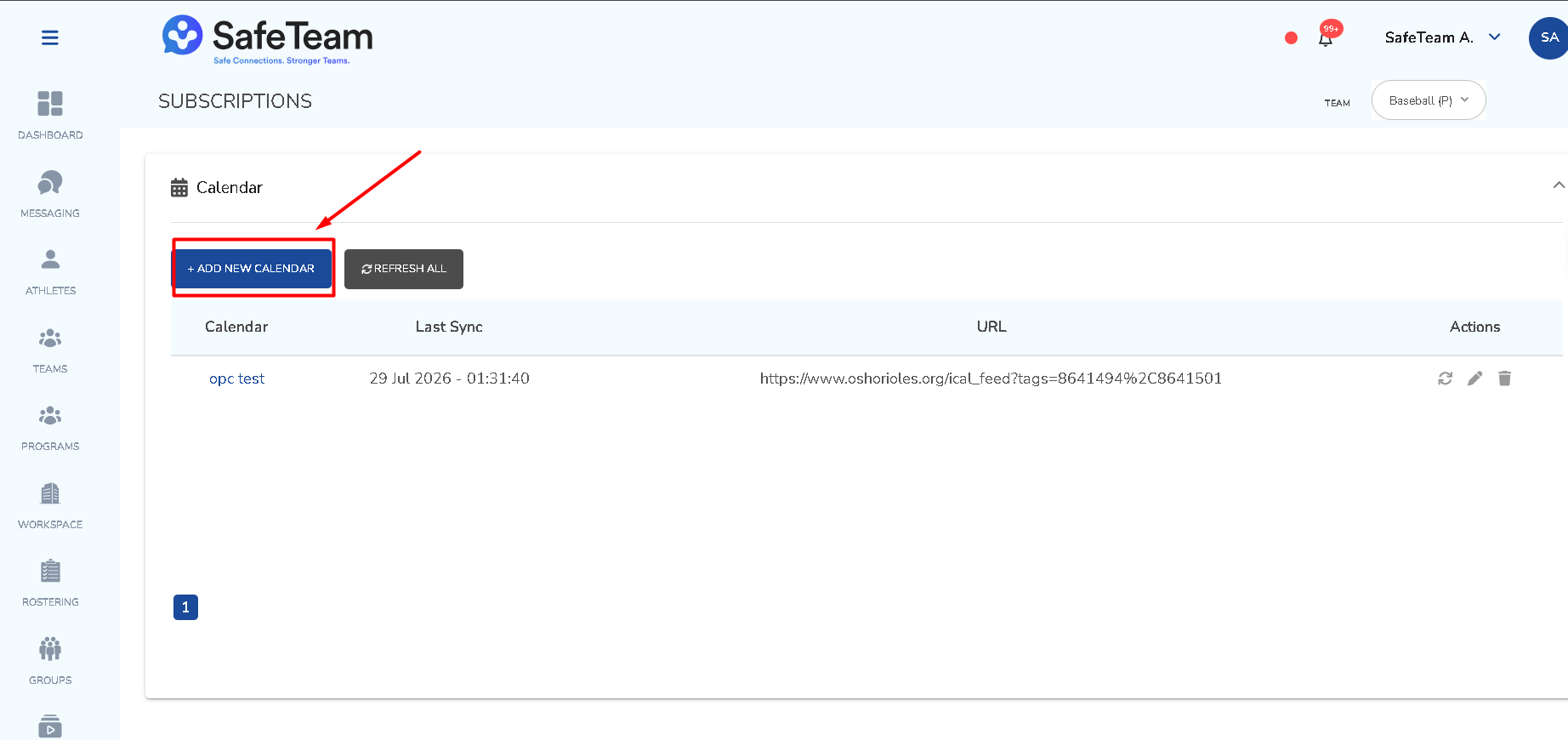
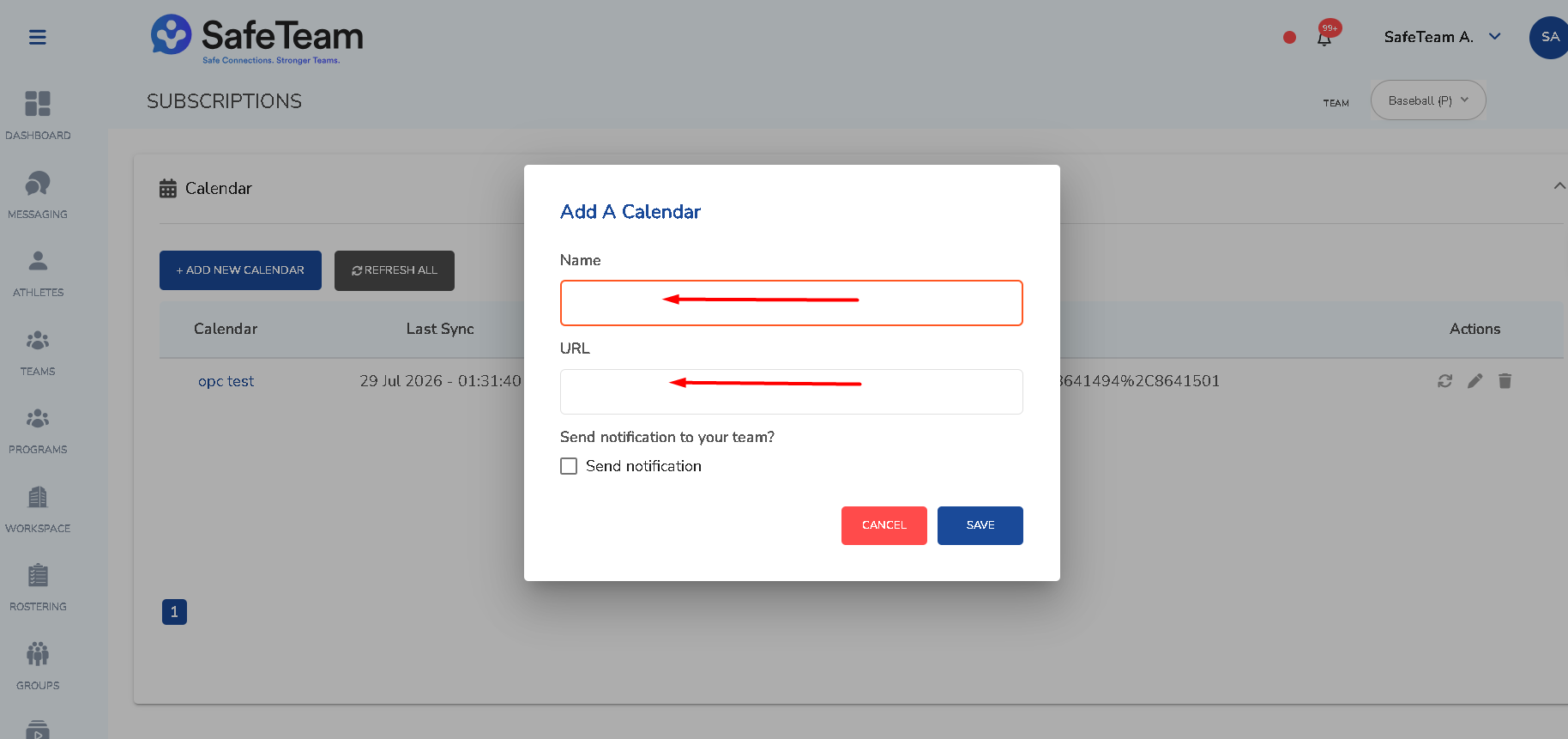
- Enter the calendar name.
- Enter the subscription URL.
- Optionally choose to notify the team.
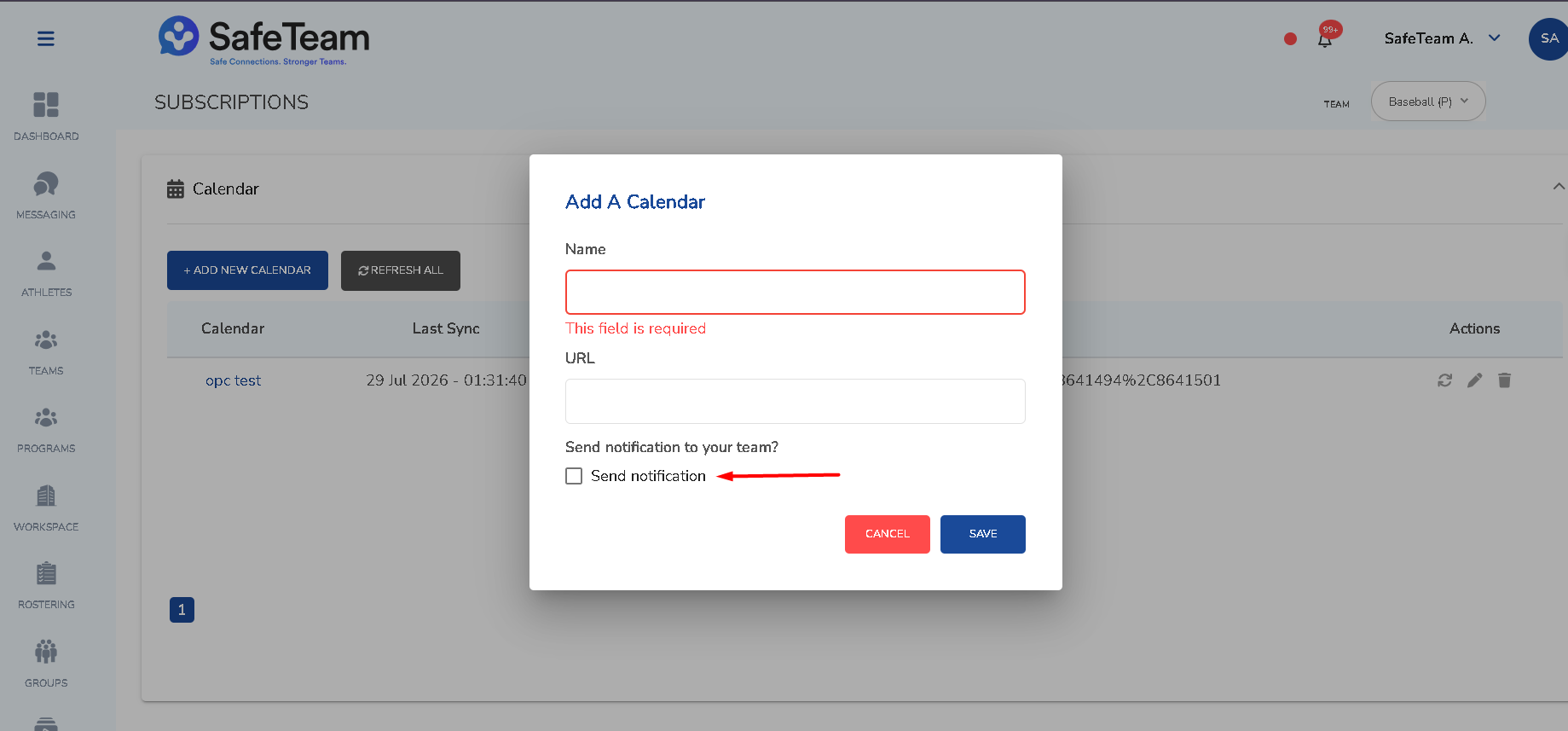
- Save.
Need help?
Visit info.safeteam.io for FAQs and walkthroughs, email support@safeteam.io, or text 763-777-7279.