
How do I share a media file to the team feed?
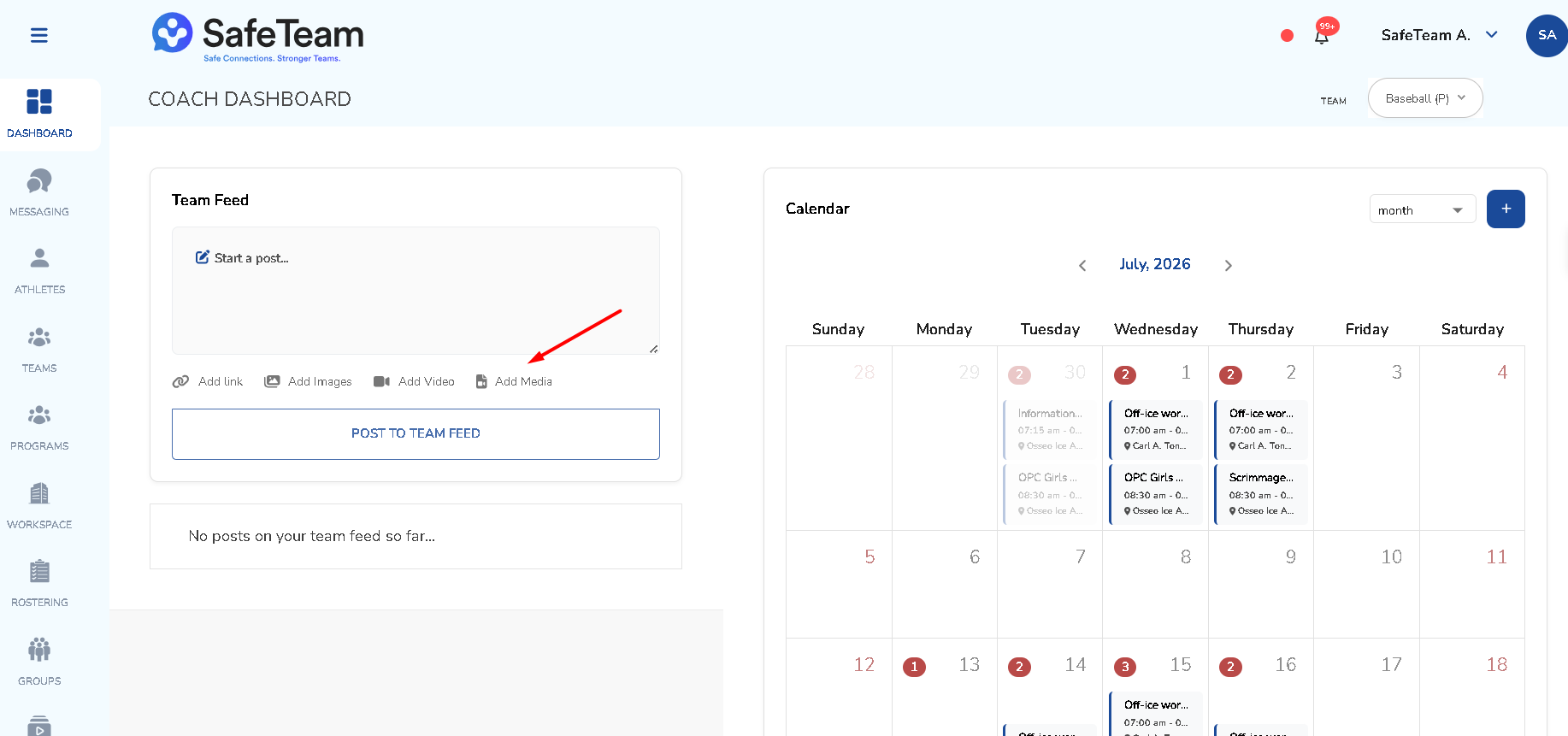
You can click on Add Media in the new team feed post you are creating. You can also go to the media library and click the share button on any media item to share it to the team feed.
Sharing a media file to the Team Feed
- From a new post:
- Start a new Team Feed post.
- Click Add Media.
- Select the media file you want to include.
- From the media library:
- Open the media library.
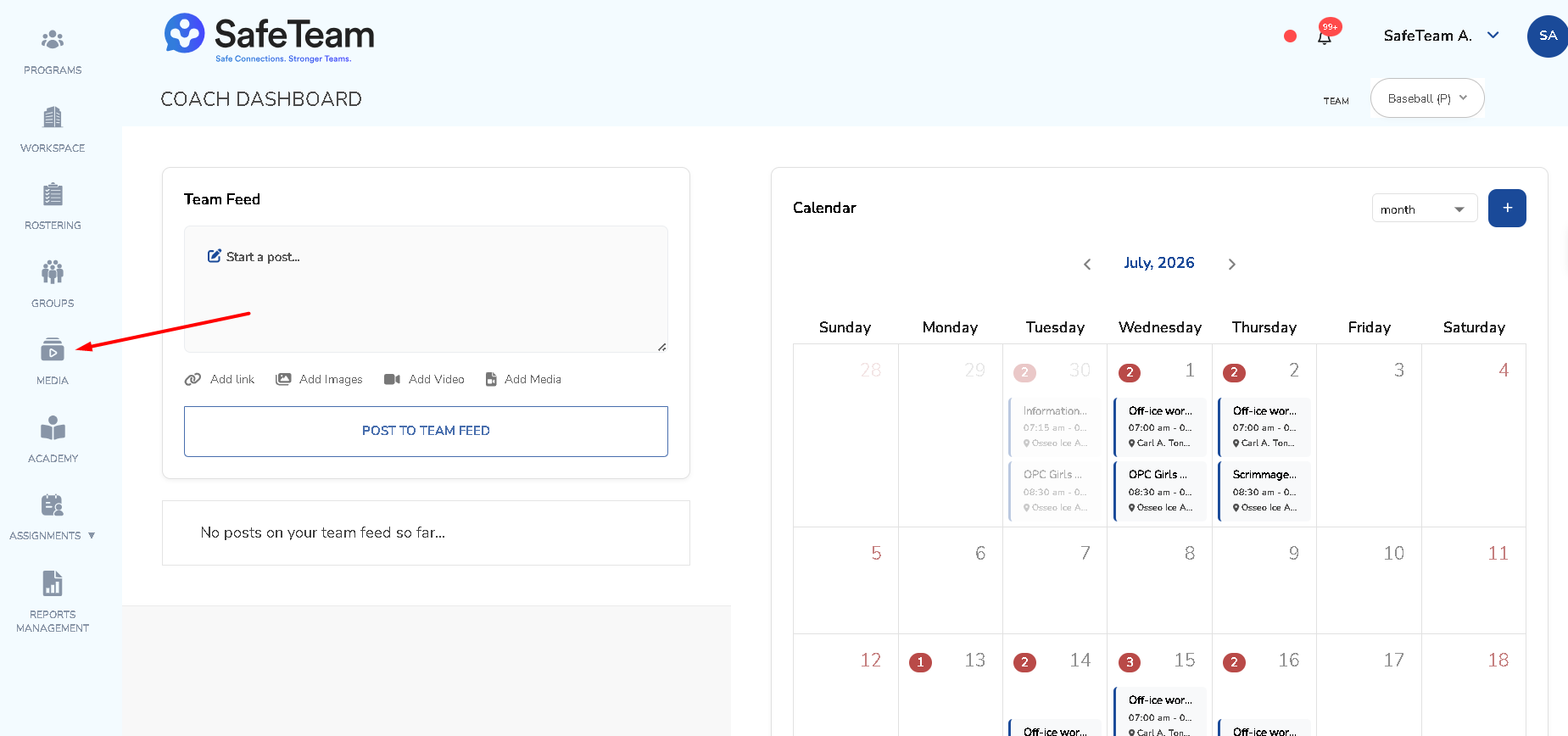
- Click the share button on the media item you want to share.
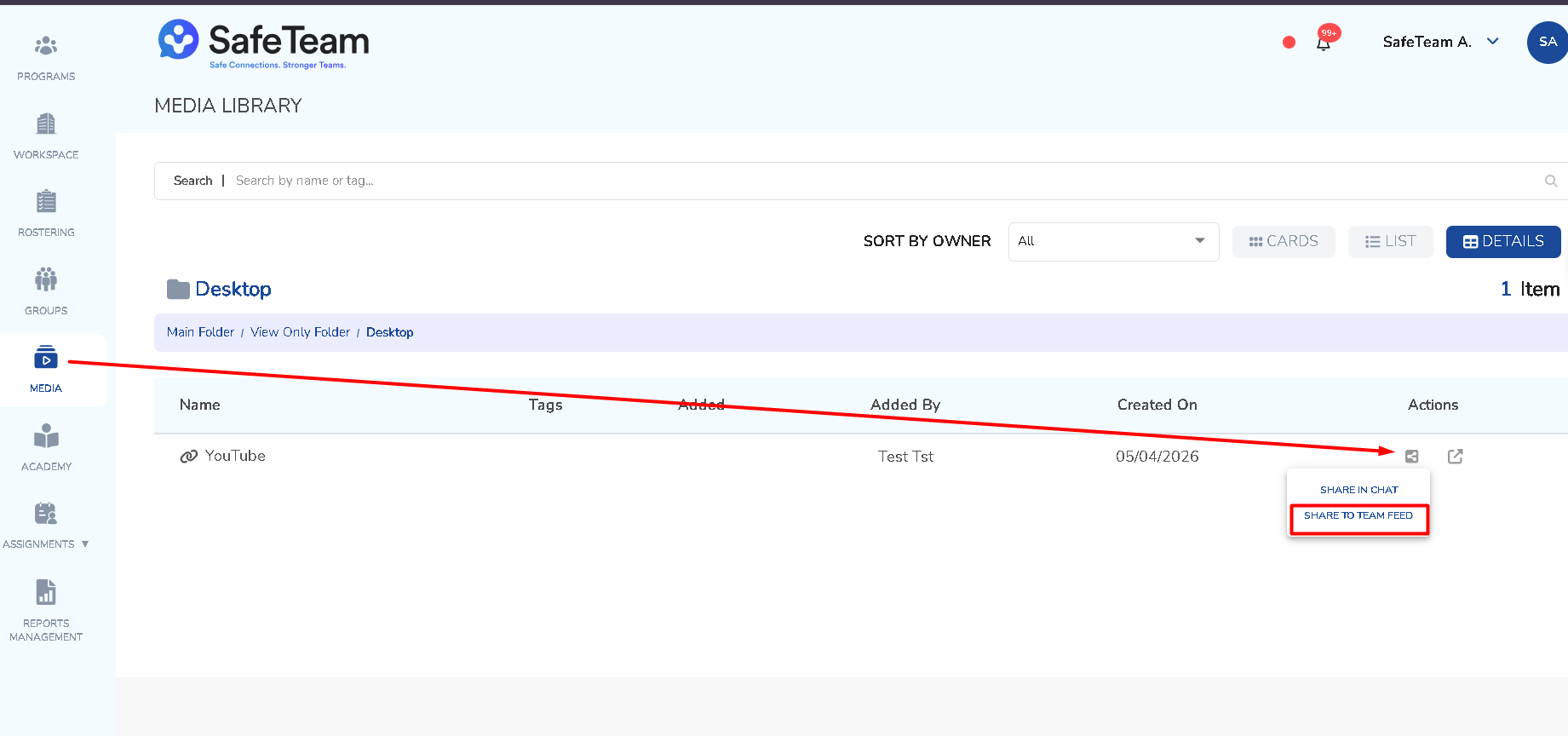
- It will be shared to the Team Feed.
Need help?
Visit info.safeteam.io for FAQs and walkthroughs, email support@safeteam.io, or text 763-777-7279.