
How do I add an athlete directly?
Open Program Members, click + ADD NEW ATHLETE , enter athlete details, add household details when needed, choose Invite to Team if applicable, and save.
Adding an athlete directly
- Open Program Members.
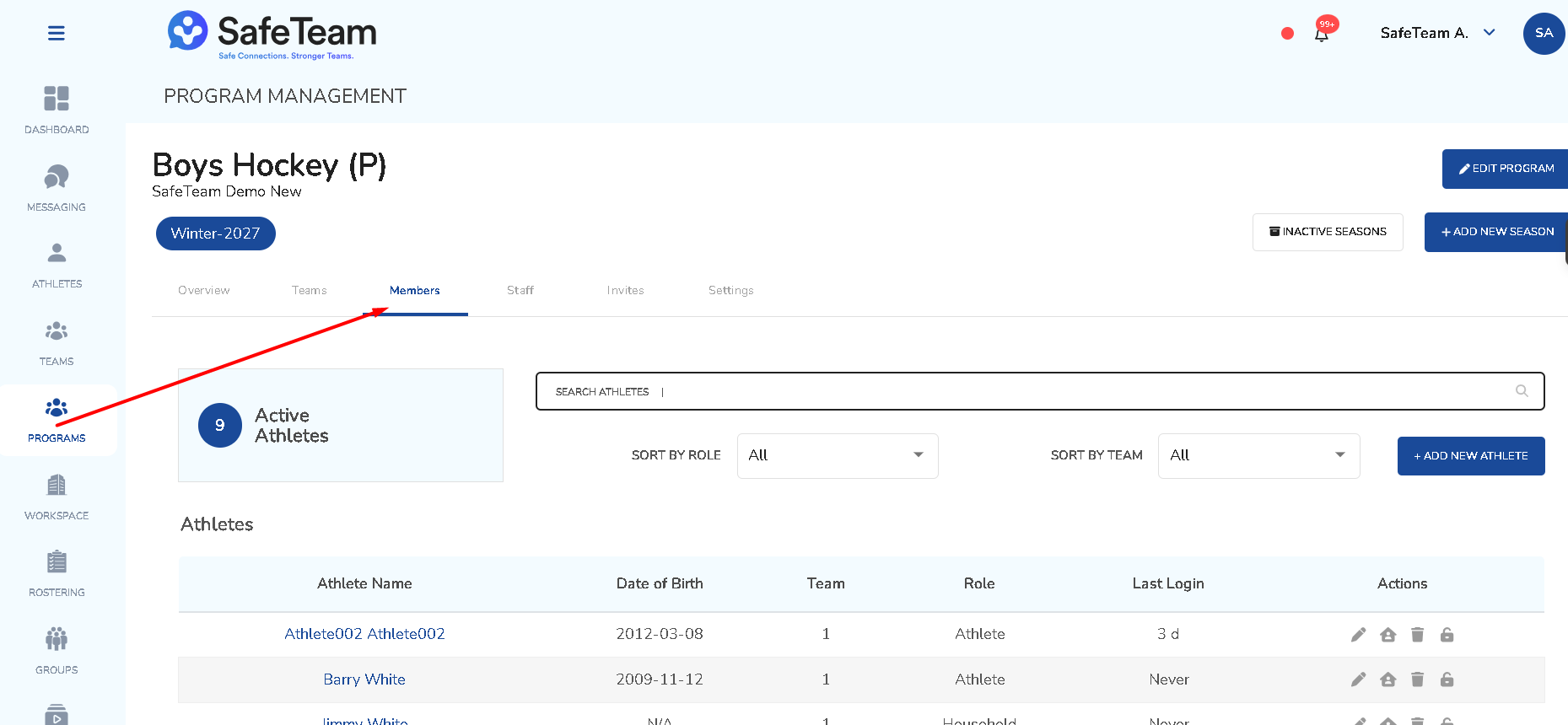
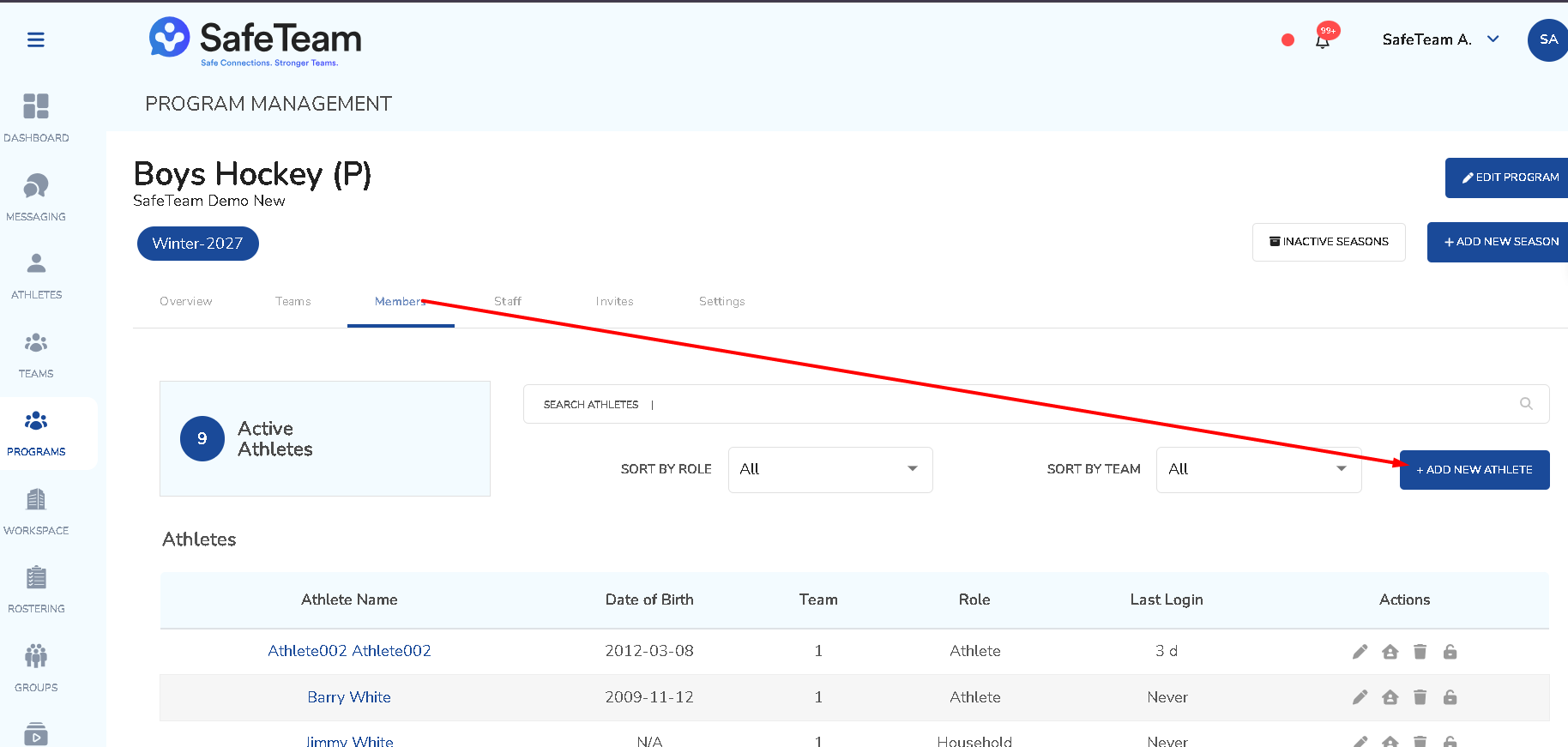
- Click
+ ADD NEW ATHLETE.
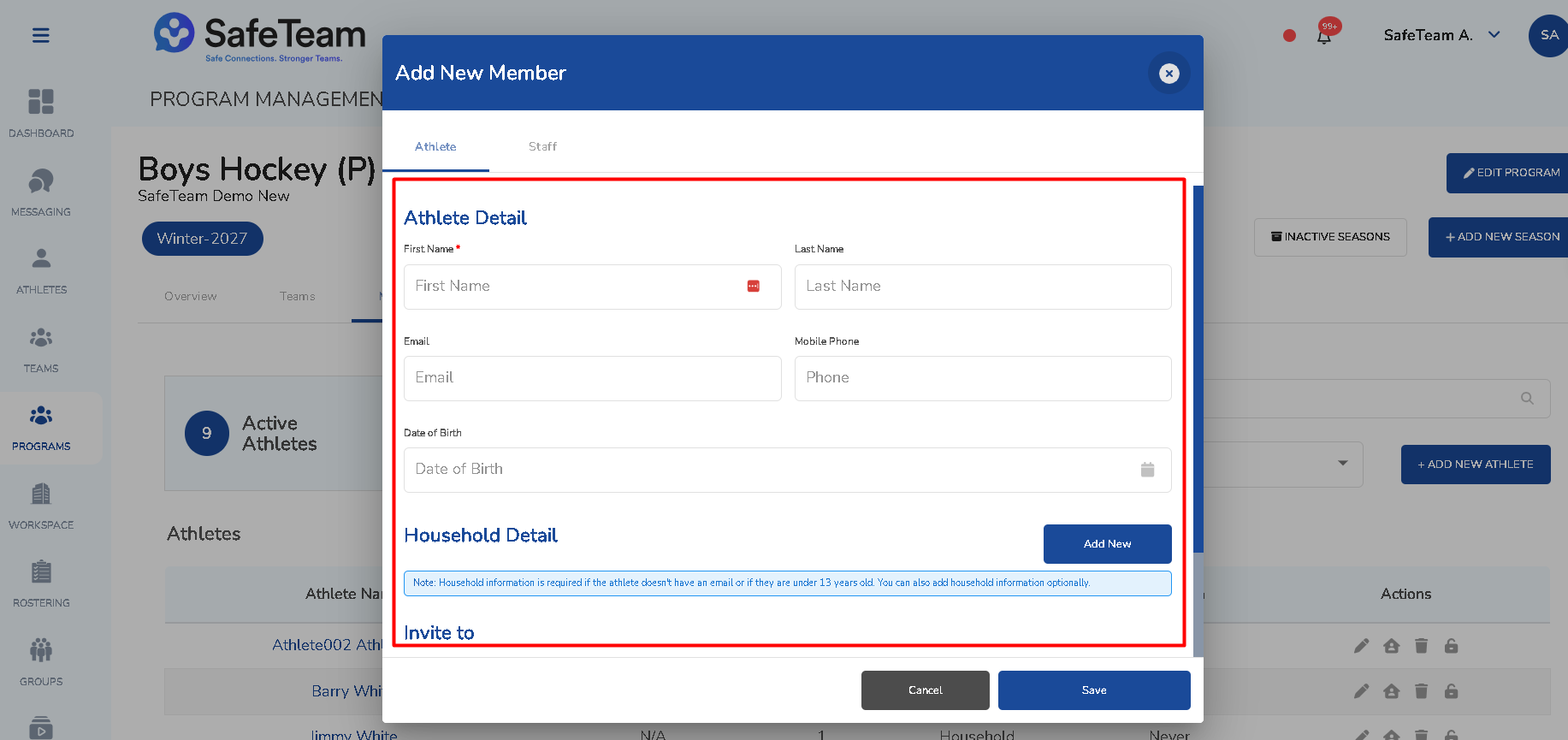
- Enter the athlete's details.
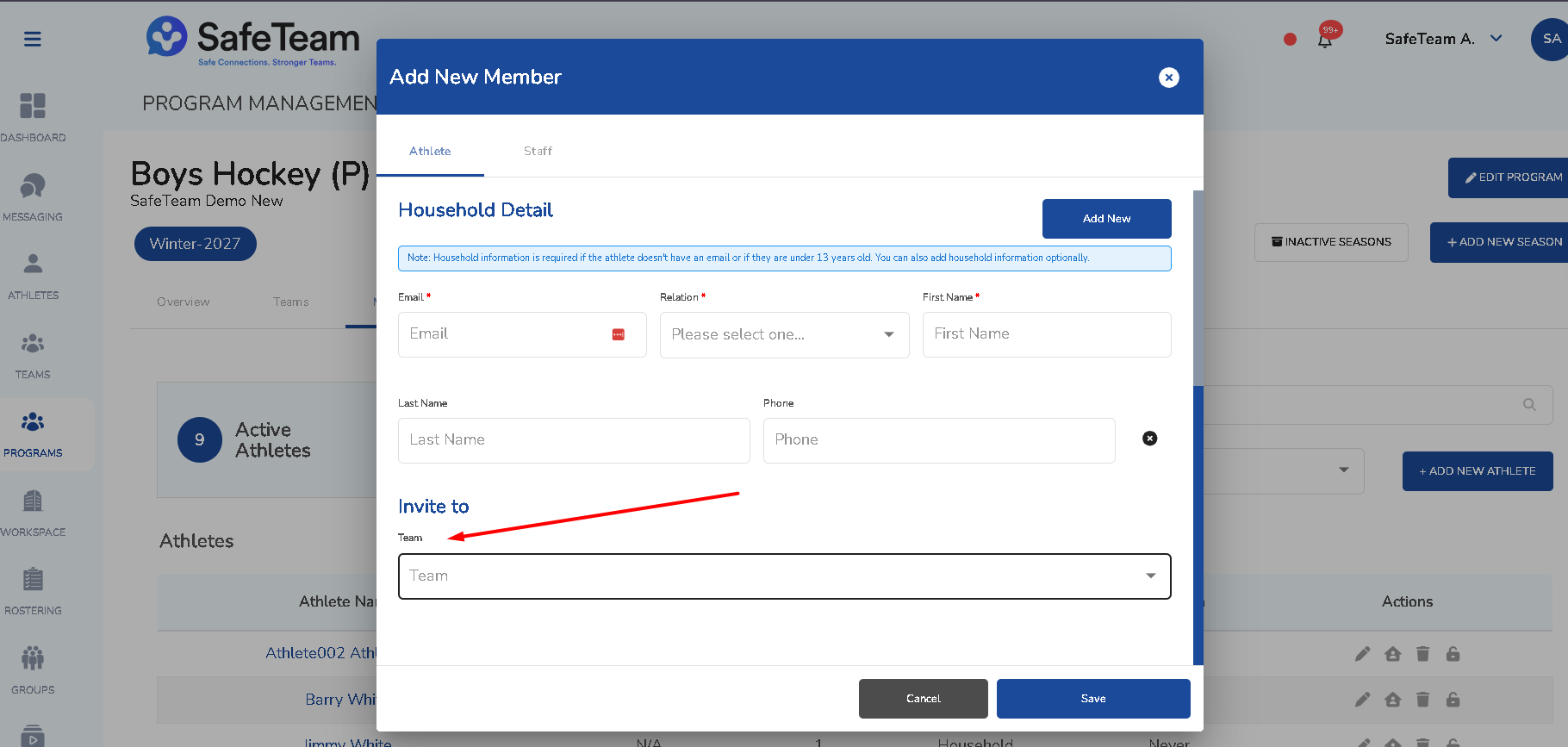
- Add household details when needed.
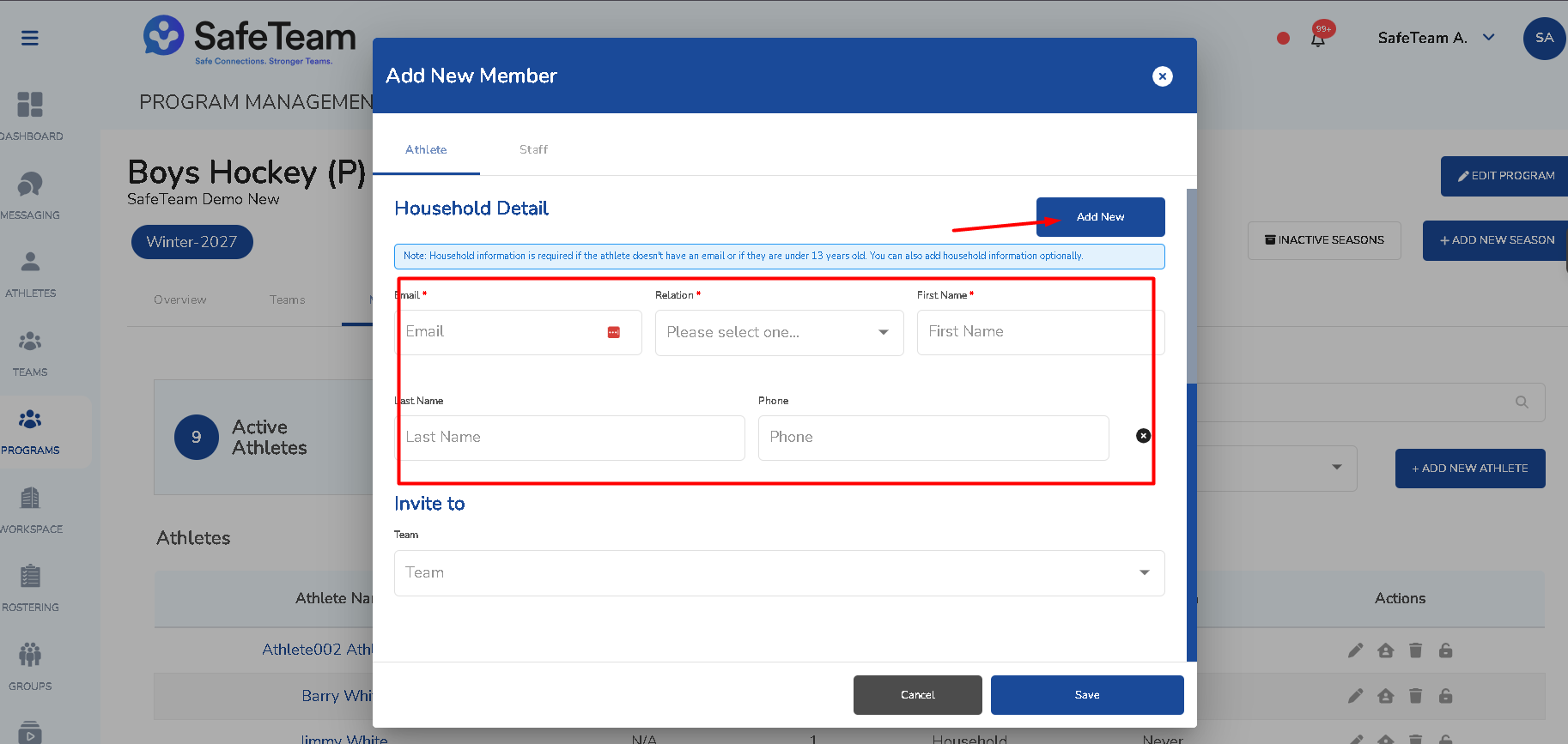
- Choose Invite to Team, if applicable. If you "invite" to a team, the athlete will also be rostered on the Program level.
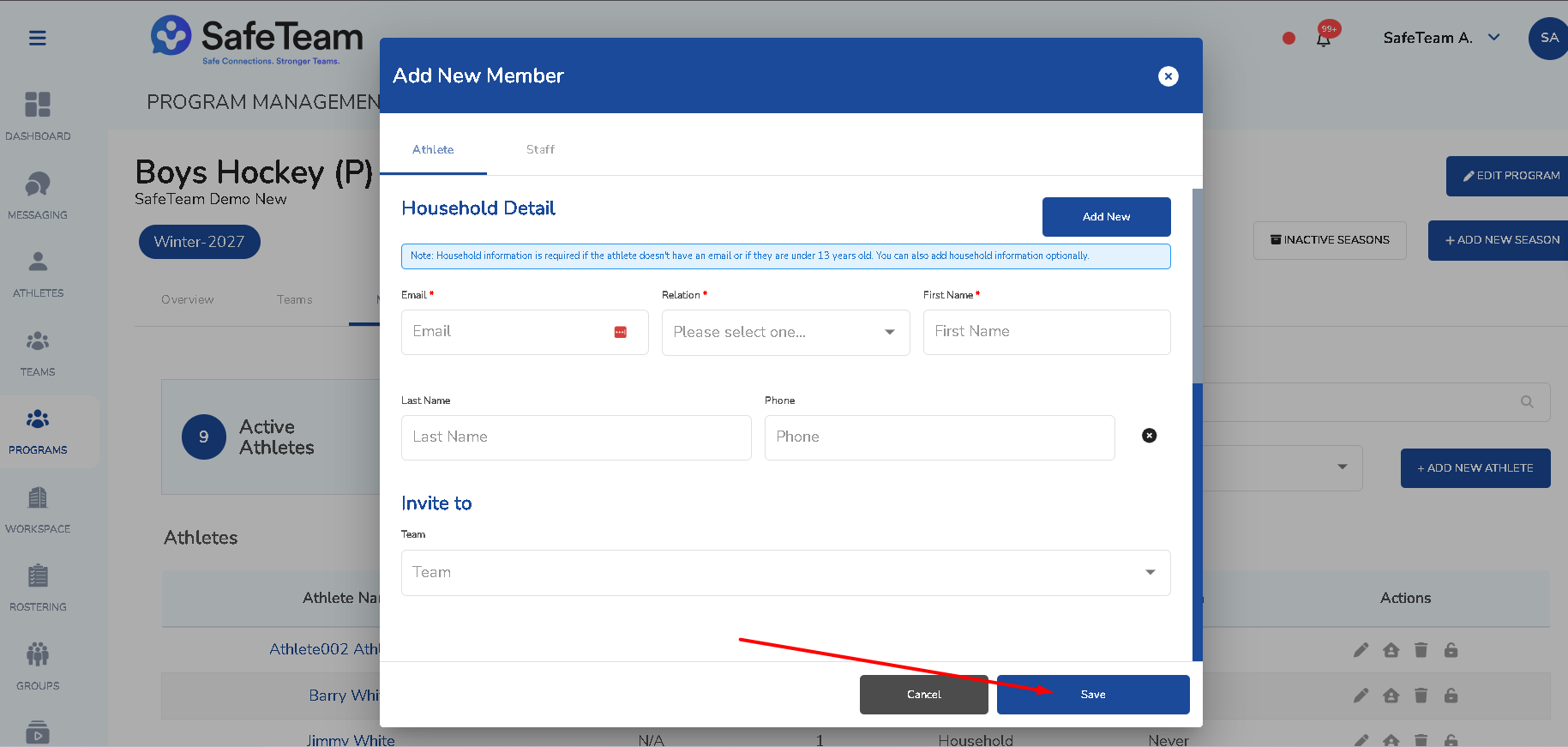
- Save.
Need help?
Visit info.safeteam.io for FAQs and walkthroughs, email support@safeteam.io, or text 763-777-7279.